




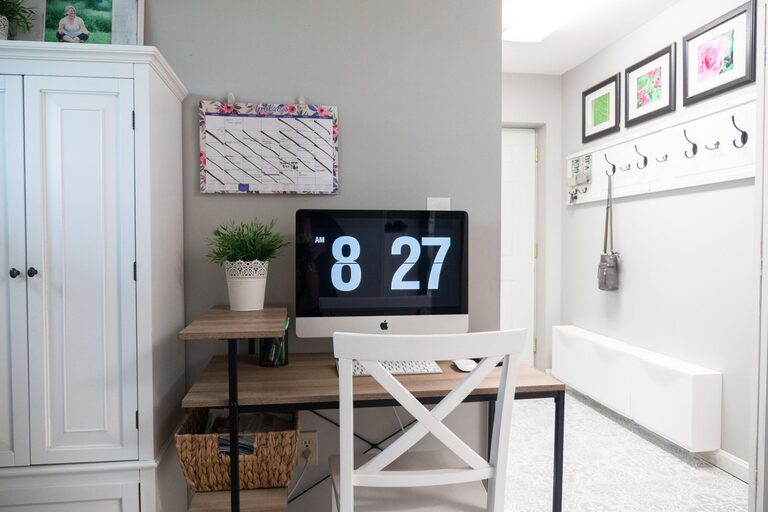




Keeping cables and chargers organized can make a significant difference in the tidiness and functionality of your home, office, or any space with electronics. Tangled cords not only look messy but can also cause damage to your devices or become a frustrating obstacle when you need to charge something quickly. Fortunately, organizing cables doesn’t require a lot of time or money. With a few straightforward tips and tools, you can transform your cable chaos into a neat, efficient setup.
Why Organize Cables and Chargers?
Before diving into methods, it’s helpful to understand why cable organization matters:
– Safety: Prevents tripping hazards and reduces the risk of electrical shorts.
– Device Longevity: Properly stored cables are less likely to fray or break.
– Convenience: Easily find the charger or cable you need without untangling a mess.
– Aesthetics: Creates a cleaner, more inviting space.
Basic Supplies for Cable Organization
To get started, here are some common tools and supplies that can help:
– Cable ties (Velcro or reusable plastic)
– Cable clips or holders
– Cable sleeves or tubes
– Label tags or markers
– Drawer dividers or small storage boxes
– Cord winders or spools
– Command hooks or adhesive hooks
These items are usually inexpensive and widely available online or in stores.
Step-by-Step Guide to Organizing Cables and Chargers
1. Gather and Sort Your Cables
Begin by collecting all cables, cords, and chargers from around your space. Sort them into categories such as:
– Phone chargers
– Laptop cables
– Audio/video cables
– Power cords
– USB cables
Group similar items together to avoid confusion later.
2. Assess What You Need
Look over the sorted cables and ask:
– Do I still use this cable or charger?
– Is it damaged or faulty?
– Is it a duplicate or outdated?
Recycle or discard cables that are broken or no longer needed. This step reduces clutter and makes organization easier.
3. Clean Your Cables
Wipe cables gently with a soft cloth to remove dust and dirt. This helps maintain their condition and gives you a fresh start.
4. Choose the Right Storage Method
The way you store cables depends on your space and how often you use them.
#### For Daily Use
– Desk cable clips: Attach these to your desk to hold charging cables within reach.
– Cord organizers: Use spiral cable wraps or sleeves to bundle cables used regularly.
– Charging stations: Invest in a multi-device charging dock to keep several chargers in one spot.
#### For Occasional Use
– Labelled storage boxes: Coil cables neatly and store them in labeled boxes or drawers.
– Ziplock bags: Place each cable in a bag labeled with its device info.
– Hanging organizers: Use wall-mounted pouches or hanging shoe organizers for easy access.
5. Coil Cables Properly
When coiling cables, avoid tight loops which may damage internal wires. The over-under method is an effective way to minimize twisting and tangling:
– Form the first loop naturally.
– For the next loop, twist the cable in the opposite direction.
– Alternate loops until the cable is fully coiled.
Secure the coil with a Velcro tie or reusable cable tie.
6. Label Everything
Labeling helps identify cables quickly, especially when they look similar. You can use:
– Pre-made label tags
– Masking tape and a marker
– Color-coded stickers
Include device names, cable types, or lengths to avoid confusion.
7. Manage Cables Behind Furniture and Devices
Cables often create clutter behind desks and entertainment centers. Keep them neat by:
– Bundling cables with sleeves or ties
– Using adhesive cable clips to guide cables along surfaces
– Running cables through cable raceways that hide them from view
This also helps prevent cables from getting pulled or damaged.
8. Maintain Your System
Cable organization is an ongoing task. Set a reminder every few months to:
– Check for any new cables
– Remove unused or stray cables
– Reorganize and tighten bundles as needed
Regular maintenance keeps your space tidy and prevents buildup.
Additional Tips and Tricks
– Use everyday items: Toilet paper rolls or bread clips can be repurposed to hold cables.
– Tech-specific organizers: Some products are designed specifically for certain gadgets, such as Apple Watch chargers or gaming consoles.
– Keep chargers near outlets: Using power strips with USB ports can reduce the need for multiple adapters.
– Travel kits: Keep a small pouch with essential cables and chargers for trips to reduce packing stress.
Final Thoughts
Organizing cables and chargers neatly is a simple way to improve your environment’s appearance and functionality. With a bit of effort and the right supplies, you can create a system that saves time and reduces frustration. Whether you prefer visible cable management solutions or hidden storage, the key is consistency and regular upkeep. Start today and enjoy a clutter-free space!